
Spot the Fakes with Dr. Phish: Teach Kids to Outsmart Tricky Messages, Links, and Requests
Fake messages, scam links, and tricky requests target kids every day. You want your child to spot these threats before they cause trouble. Teaching kids online safety doesn’t have to be a battle—it can be a fun adventure with Dr. Phish. In this post, you’ll learn a simple, kid-friendly system to recognize phishing and avoid online scams using role-play and checklists. For more tips on teaching your child to outsmart online scammers, check out this guide.
Teach Kids Online Safety
Recognize Phishing Tricks
Children face hidden dangers online, but they can be empowered to spot these threats. By understanding phishing tricks, kids can protect themselves from online scams.
Phishing often starts with a sneaky email or message. These messages might pretend to be from a friend or a trusted company. They often ask for personal information, like your child’s password or home address. Teach your child to pause before clicking any link. A good rule is to always check who the message is really from. Encourage them to ask you if something seems off.
Kids might assume all emails are safe. But here’s the key insight: Most people think only adults get phished, but kids are also targets. Online safety for children begins with knowing that anyone can get a phishing email. By practicing how to recognize these tricks, kids can become cyber-savvy. For more detailed information, see this resource on internet safety.
Spot Fake Requests
Fake friend requests are common online, and they can fool even the smartest kids. Recognizing them is crucial for staying safe.
A fake request might come from someone pretending to be a classmate or a new friend. These profiles often lack personal photos or have generic## Teach Kids Online Safety
Helping kids understand online safety is crucial. This section will guide you through simple steps to make this learning fun and engaging.
Recognize Phishing Tricks
Phishing tricks are like sneaky puzzles. Teach kids online safety by showing them how to spot these tricks. Start with simple examples: like emails that ask for personal information or sound too good to be true.
-
Look for odd emails: If an email comes from someone they don’t know, it’s a red flag.
-
Check for strange links: Encourage them to avoid clicking on links that seem suspicious.
-
Spot fake offers: Remind them that free gifts or prizes often hide a catch.
Using these tips, kids can be more aware of phishing attempts. For more strategies on talking to your kids about internet safety, see this article.
Spot Fake Requests
Fake requests can come in many forms. Kids should be able to recognize when something feels off. Start by explaining what fake requests look like.
-
Fake friend requests: Explain how strangers pretending to be friends can be dangerous.
-
Unusual messages: If a message seems weird or out of the blue, it might be fake.
-
Strange requests for information: Teach them to never share personal info online.
By understanding these signs, kids can learn to protect themselves from online scams. Check out this blog for more safety rules.
Avoid Online Scams
Online scams are everywhere, but kids can learn to dodge them. Start by discussing common scams and how they work.
-
Game scams: Explain how fake offers for free game items or currency can be traps.
-
Email scams: Teach kids to question emails that ask for personal details.
-
Social media scams: Remind them to be cautious of offers on social platforms.
Here’s the key insight: knowing these tricks helps kids stay safe online. For more on spotting scammers, visit this resource.
Role-Play for Cyber Heroes

Role-playing can transform kids into cyber heroes, ready to tackle online dangers. It’s a fun way to teach safety without feeling like a chore.
Create Safe Messaging Habits
Building safe messaging habits is essential. Start by setting some easy rules for messaging.
-
Be cautious: Encourage kids to pause and think before responding to messages.
-
Check with an adult: If they’re unsure about a message, they should ask you.
-
Keep personal info private: Remind them never to share details like their address or phone number.
These habits can help your child stay safe and make smarter choices online.
Use the Online Safety Checklist
An online safety checklist is a great tool for kids. It makes safety steps easy to follow.
-
Ask ‘Is it real?’: Before clicking, ask if the message seems legit.
-
Check with a grown-up: Always a good step when in doubt.
-
Look for odd signs: Spelling errors or weird links are clues something might be off.
Having a checklist gives kids a clear path to follow. You can find more about internet safety rules here.
Fun with Scam Links Scenarios
Turn learning into fun by acting out scam scenarios. It’s a playful way to teach serious lessons.
-
Role-play games: Pretend to be scammers and have kids spot the fake.
-
Spot the trick: Use examples of scam links and ask kids to identify the errors.
-
Create a superhero story: Have kids imagine how Dr. Phish would handle a scam.
These activities make learning engaging and memorable, empowering kids to take charge of their online safety.
Dr. Phish Book and Workshop
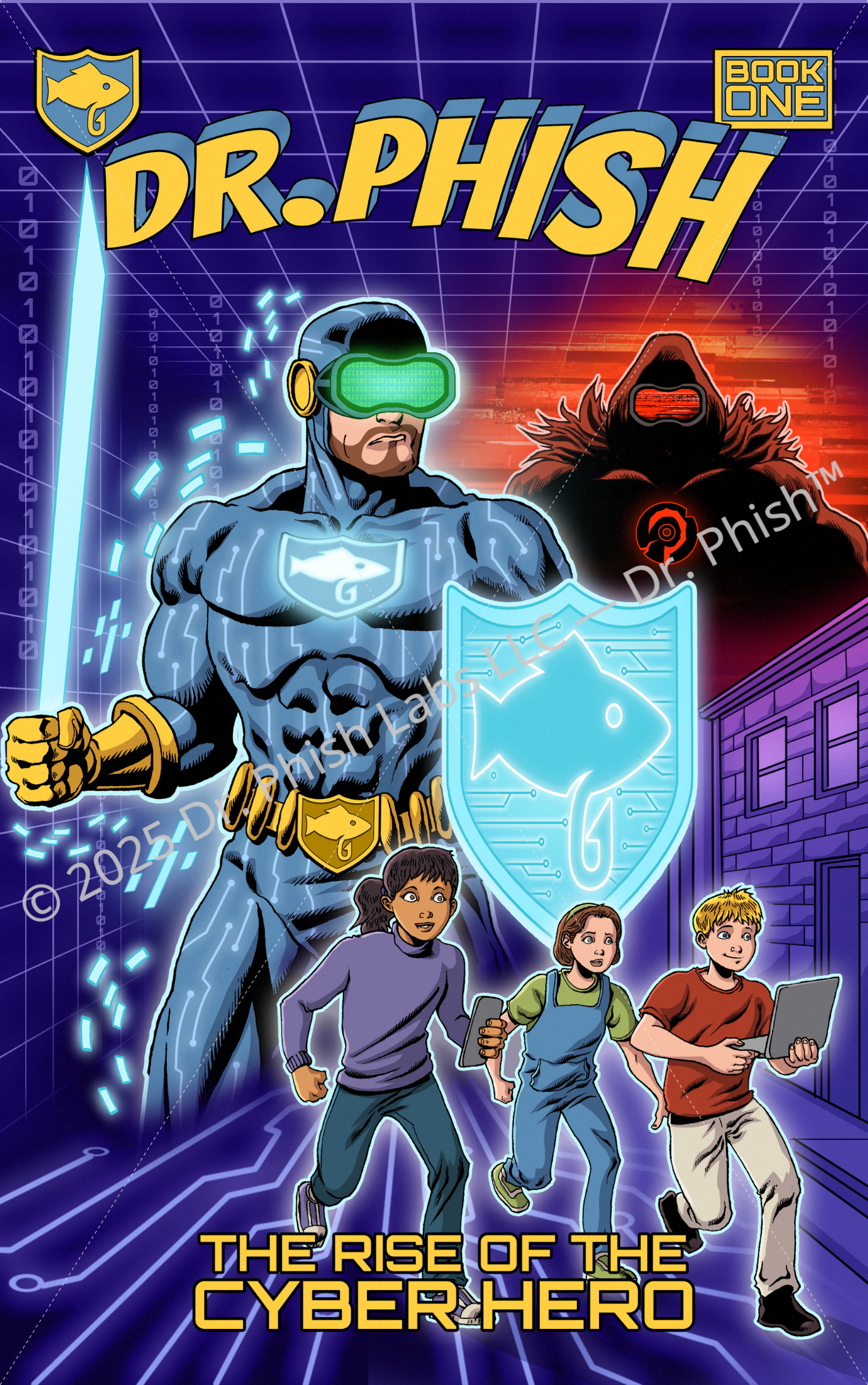
Dive into the world of Dr. Phish for an exciting learning adventure. This section will explore the book and resources that make online safety fun.
Pre-Order for a Cyber Adventure
Grab your chance to join Dr. Phish on this cyber adventure. The book offers thrilling stories and practical safety tips, making it a must-have for parents and kids alike.
Help your child become a cyber hero by pre-ordering the Dr. Phish book series today!
School Cyber Safety Curriculum
Integrating cyber safety into the school curriculum is vital. Dr. Phish offers workshops designed to engage and educate students, turning safety lessons into exciting adventures.
Schools can easily incorporate these resources to create a safer online environment.
Kids Cybersecurity Tips and Tools
Equip your child with the tools they need for online safety. Dr. Phish provides tips that are easy to understand and apply, helping kids navigate the digital world with confidence.
These resources empower young learners, making them feel like true cyber heroes.
By following these steps, you equip your child with the skills they need to stay safe online, turning potential threats into opportunities for growth and learning.